Physical Address
304 North Cardinal St.
Dorchester Center, MA 02124
Physical Address
304 North Cardinal St.
Dorchester Center, MA 02124

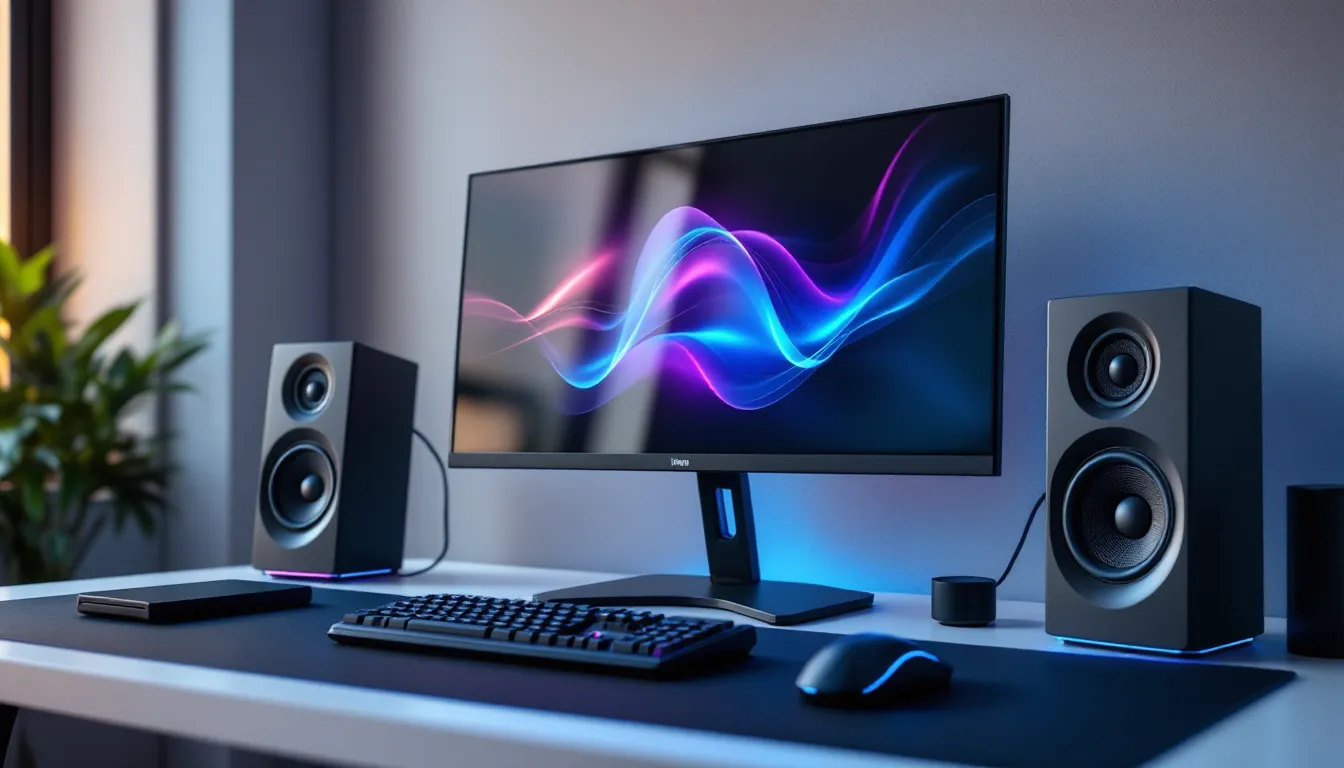
Most gaming monitors ship with one glaring weakness: terrible built-in speakers, or none at all. You’ve invested in a high-refresh panel with incredible visuals, but if you’re relying on those tinny, barely-audible drivers tucked into the bezel, you’re missing half the experience.
Whether it’s the rumble of distant thunder in Red Dead Redemption 2, the precise directionality of footsteps in Valorant, or the orchestral sweep of Elden Ring’s boss fights, audio quality shapes how you experience games. Dedicated speakers for gaming monitors bridge the gap between onboard audio and full headset isolation, offering room-filling sound without sacrificing comfort during marathon sessions.
This guide breaks down everything you need to know: which speaker types work best with monitors, what features actually matter, and which models deliver the best performance at every price point in 2026.
Gaming monitor manufacturers prioritize panel technology, refresh rates, response times, HDR, over audio. Built-in speakers are an afterthought, usually 2W drivers that struggle to produce anything beyond muffled dialogue and flat sound effects.
Even premium monitors like the ASUS ROG Swift or LG UltraGear series often ship with speakers that can’t handle the dynamic range modern games demand. Explosions lack impact, music loses detail, and spatial cues disappear entirely. For competitive players, this isn’t just an annoyance, it’s a handicap.
Dedicated external speakers solve this by offering actual driver size, proper amplification, and tuning designed for multimedia or gaming-specific audio profiles. They don’t cost much compared to your monitor investment, but the improvement is immediate and dramatic.
Immersion in single-player games relies heavily on soundscape. The creak of floorboards in a horror game, the ambient chatter in an RPG town, or the layered orchestration during a cutscene, all of these lose impact through weak audio.
Quality speakers with decent frequency response reproduce bass, mids, and treble accurately, making environments feel lived-in and believable. You’ll notice details you’ve been missing: distant gunfire in Escape from Tarkov, the hum of machinery in Satisfactory, or the subtle wind effects in open-world titles.
For competitive play, speakers won’t replace headsets in ranked matches, but they’re excellent for warm-ups, casual queue grinding, or games where voice chat isn’t critical. Stereo imaging helps with left-right directional cues, and some models offer virtual surround processing that’s surprisingly effective at close desk range.
Traditional 2.0 or 2.1 desktop speaker sets are the most common choice. A 2.0 setup features two satellite speakers (left and right), while 2.1 adds a subwoofer for bass extension.
These systems typically connect via 3.5mm or USB and sit on either side of your monitor. They’re versatile, handling everything from game audio to music and streaming. Popular models like the Logitech G560 or Razer Nommo series include gaming-specific features like customizable RGB, preset EQ modes, and bass tuning.
The downside? They take up desk real estate. If you’re running a compact setup or already have a cluttered battlestation, you’ll need to plan placement carefully.
Soundbars designed for monitors are compact, single-unit solutions that sit below or above your display. They’re ideal for minimalist setups where space is tight.
Models like the Creative Stage Air or TaoTronics soundbar deliver surprisingly wide soundstages from a small footprint. Many include passive radiators or downward-firing drivers to simulate bass without a separate subwoofer.
The trade-off is imaging precision. Soundbars can’t match the stereo separation of properly spaced desktop speakers, but for casual gaming and media consumption, they’re more than adequate, and far cleaner aesthetically.
USB-powered speakers draw power and audio through a single cable, eliminating outlet clutter. They’re typically smaller, budget-friendly, and plug-and-play.
Options like the AmazonBasics USB speakers or JBL Pebbles are perfect for dorm setups, secondary monitors, or users who prioritize simplicity over audiophile-grade performance. Sound quality won’t blow you away, but they’re a massive step up from monitor speakers and cost under $30.
These work best for indie games, strategy titles, or background audio. Don’t expect them to handle Doom Eternal’s soundtrack with authority.
Studio monitors, active speakers designed for music production, offer the flattest, most accurate sound reproduction available. Brands like PreSonus, KRK, and JBL produce compact nearfield monitors that work beautifully for gaming desks.
Why go this route? If you value audio fidelity, produce content, or just hate the exaggerated bass and treble in “gaming” speakers, studio monitors deliver neutral, detailed sound that reveals exactly what the developers intended.
You’ll need an audio interface or DAC with balanced outputs to connect them properly, and they typically lack gaming-specific features like RGB or preset modes. But the sound quality? Unmatched in the desktop speaker category.
Frequency response indicates the range of sounds a speaker can reproduce, measured in Hz. Human hearing spans roughly 20Hz to 20kHz. Budget speakers might only cover 100Hz to 18kHz, cutting off deep bass and high treble detail.
For gaming, prioritize models that reach at least 50Hz on the low end (or include a subwoofer for bass extension) and extend to 18kHz or higher. Driver size matters too, larger drivers (3-inch or bigger) generally handle mids and bass better than tiny 2-inch units.
According to testing from RTINGS, speaker performance in gaming scenarios depends heavily on midrange clarity for dialogue and footsteps, not just bass punch. Look for balanced frequency curves rather than overly boosted low-end.
Connectivity flexibility future-proofs your setup. Most gaming speakers offer 3.5mm aux input (universal but analog), USB (digital, often powers the speakers too), and sometimes Bluetooth for wireless devices.
Higher-end models add optical (TOSLINK) inputs for lossless audio from consoles or motherboards with S/PDIF output. Bluetooth is convenient for phone audio or switching between devices, but introduces slight latency, fine for music, questionable for rhythm games or competitive shooters.
USB connections often enable software control (EQ, RGB sync, presets) through proprietary apps, giving you more tuning options than basic 3.5mm setups.
Measure your desk before buying. Full-size 2.1 systems with a subwoofer can dominate a small workspace, while compact 2.0 speakers or soundbars preserve precious mouse pad real estate.
If you’re running a dual-monitor setup, corner-mounted speakers or a soundbar might be your only realistic option. Check speaker dimensions in product specs, some “compact” models are surprisingly bulky once you account for rear ports and cable clearance.
Vertical stands or wall-mounted brackets can help, but most gamers prefer speakers at ear level, angled slightly inward for optimal stereo imaging.
Power output (measured in watts RMS, not peak) determines maximum volume and headroom. For a typical desk setup 2-3 feet from your ears, 10-20W total RMS is plenty. More power doesn’t always mean better sound, it means louder maximum volume and less distortion at high levels.
If you’re in a small room or apartment, 5-10W may be sufficient. Larger spaces or shared gaming rooms benefit from 20W+ systems. Subwoofers typically range from 20-100W, with 40-60W being the sweet spot for desktop use without rattling your entire building.
RGB lighting syncs with your existing ecosystem (Razer Chroma, Corsair iCUE, ASUS Aura, etc.) and adds visual flair to your setup. It’s purely aesthetic, but if you’ve invested in a coordinated battlestation, mismatched lighting breaks immersion.
Some speakers like the Logitech G560 feature reactive lighting that pulses with bass or matches on-screen colors via software analysis. Others offer static zones or preset effects.
If RGB doesn’t matter to you, you can save money, non-lit versions of the same speaker often cost $20-40 less and perform identically.
Creative Pebble Plus ($30-35): 2.1 setup with a compact down-firing subwoofer. USB-powered, clean minimalist design, surprisingly punchy bass for the price. Perfect for casual gaming and streaming.
Logitech Z213 ($25-30): Basic 2.1 system with wired remote. Nothing fancy, but reliable and widely available. Handles dialogue-heavy games and YouTube well.
AmazonBasics USB Speakers ($15-20): Bare-bones USB-powered pair. Zero frills, but functional if you’re on an extreme budget or need secondary speakers.
At this tier, don’t expect audiophile performance. You’re buying “better than monitor speakers” sound, which is a worthy upgrade on its own.
Razer Nommo Chroma ($120-140): 2.0 setup with custom woven glass fiber drivers, bass ports, and full Chroma RGB. Great for smaller desks where a subwoofer won’t fit. Clear mids, decent bass for a 2.0 design.
Edifier R1280T ($90-110): Powered bookshelf speakers with dual RCA and 3.5mm inputs. Classic design, excellent midrange clarity, and enough volume for medium-sized rooms. No RGB, no gaming branding, just solid sound.
Creative Sound BlasterX Katana V2 ($130-150): Soundbar with virtual surround, tri-amplified drivers, and customizable EQ via software. Best for users who want one clean unit instead of separate speakers.
Reviews from PCMag consistently rank the Edifier series highly for value, while the Katana V2 wins praise for its soundstage width even though the single-bar form factor.
Logitech G560 ($180-220): 2.1 system with DTS:X Ultra surround, programmable RGB lighting zones that react to audio or screen colors, and a beefy subwoofer. Overkill for some, perfect for immersion junkies.
Razer Leviathan V2 ($200-250): Detachable subwoofer soundbar with THX Spatial Audio, Bluetooth 5.0, and head-tracking tech for enhanced surround. Compact footprint, serious processing power.
PreSonus Eris E3.5 ($100-130): 3.5-inch studio monitors with balanced TRS inputs. Flat response, no gaming gimmicks, just accurate sound reproduction. Ideal if you also edit video, stream, or produce music.
According to testing highlighted on TechRadar, the Logitech G560 excels in bass-heavy titles like Battlefield 2042 and Forza Motorsport, while the PreSonus Eris series offers superior midrange detail for tactical shooters where footstep clarity matters.
Creative Stage Air V2 ($80-100): Under-monitor soundbar with USB-C, clear dialogue mode, and surprisingly wide sound for its size. No subwoofer, but bass radiators help.
TaoTronics Soundbar ($50-70): Budget option with Bluetooth, wired, and optical inputs. Solid for casual gaming, limited bass.
Razer Leviathan V2 (mentioned above): Premium choice if you want soundbar convenience with high-end features.
Soundbars work best if you’re space-constrained or run a multi-monitor setup where traditional speakers would create clutter.
Speakers shine in single-player, narrative-driven, and casual experiences where voice chat isn’t required. The Witcher 3, Cyberpunk 2077, Baldur’s Gate 3, and indie titles benefit from open, room-filling sound that doesn’t fatigue your ears during long sessions.
You’re not isolated, you can hear your environment, talk to people in the room, and avoid the sweaty-ear syndrome that comes with hours in a headset. Speakers also reduce neck strain if you’re used to heavy over-ear cans.
For couch gaming with a monitor (increasingly common with high-refresh OLED displays), speakers provide a living-room-like experience without needing a full home theater setup.
Competitive FPS, battle royale, and MOBA players should stick with headsets. Precise positional audio, especially with virtual surround or binaural processing, gives you an edge in Valorant, CS2, Apex Legends, and Warzone.
Headsets isolate you from background noise and prevent audio bleed during voice chat. Your teammates don’t need to hear your game audio echoing through your mic, and you don’t need your neighbor’s lawnmower drowning out enemy footsteps.
If you’re streaming or recording, closed-back headsets prevent audio feedback loops that speakers can cause with open microphones.
Position speakers at ear level, angled inward toward your listening position (approximately 30-degree toe-in). The ideal setup forms an equilateral triangle: each speaker and your head are equal distances apart.
Keep speakers at least 6-12 inches from walls to reduce bass muddiness from reflections. If your desk sits against a wall, use foam pads or isolation stands to decouple speakers from the desk surface, minimizing vibration transfer.
For 2.1 systems, place the subwoofer on the floor near a corner to reinforce bass, but experiment, room acoustics vary wildly, and moving it a few feet can dramatically change response.
Windows 11:
Right-click the speaker icon > Sound settings > More sound settings > Playback tab. Select your speakers, click Properties, then the Advanced tab to adjust bit depth and sample rate (24-bit, 48000 Hz is a good starting point).
Enable spatial sound (Windows Sonic or Dolby Atmos for Headphones) if your speakers support virtual surround processing. Results vary, test in-game to see if it helps or muddies directionality.
macOS:
System Settings > Sound > Output. Select your speakers and adjust balance. For advanced control, use Audio MIDI Setup (in Applications > Utilities) to configure sample rates and channel mapping.
Both OSes support third-party EQ software for deeper control, covered next.
Equalizer APO (Windows, free) and SoundSource (macOS, $39) let you create custom frequency curves. Boost mids for clearer dialogue in RPGs, reduce harsh treble in older games, or add bass if your speakers lack a subwoofer.
Many gaming speakers include proprietary software: Logitech G Hub, Razer Synapse, or Creative’s Sound Blaster Command. These offer presets (FPS, Music, Movie) and per-game profiles that switch automatically.
Start subtle, aggressive EQ can introduce distortion or fatigue. Small 2-3 dB adjustments often yield better results than massive boosts.
Bluetooth speakers introduce 100-200ms latency, noticeable in rhythm games or cutscenes where lips don’t sync. Switch to wired (3.5mm, USB, or optical) connections for zero-latency audio.
If wired speakers still lag, check your audio buffer settings in Windows (Search “Sound Control Panel” > Playback > Properties > Advanced > Default Format). Lower sample rates (16-bit, 44100 Hz) reduce processing delay on older hardware.
For USB speakers, ensure drivers are updated. Generic Windows drivers sometimes cause sync issues, download manufacturer-specific drivers from their support site.
Ground loop hum (a low buzzing) occurs when speakers and PC have different electrical grounds. Solutions:
Static or crackling often indicates a bad cable or loose connection. Swap cables first, 3.5mm aux cables are cheap and frequently the culprit. If USB speakers crackle, try a different USB port (preferably directly on the motherboard, not a hub).
Distortion at high volumes means you’re exceeding the speakers’ power handling. Reduce volume or upgrade to higher-wattage speakers.
Windows Volume Mixer (right-click speaker icon > Open Volume Mixer) lets you set independent volume levels for each application. Lower your game to 60-70%, keep Discord/TeamSpeak at 100%, and adjust in-game audio sliders to balance.
Voicemeeter Banana (free Windows software) offers advanced routing: send game audio to speakers, voice chat to headset, or blend both with custom levels and EQ per channel.
Many gaming headsets include hardware mix controls, but for speakers, software solutions like Voicemeeter or per-app volume control are your best bet.
Spatial audio continues evolving beyond basic stereo. Dolby Atmos and DTS:X implementations in desktop speakers are improving, with head-tracking and room calibration features appearing in premium models. Razer’s HyperSense haptic feedback tech, previously limited to peripherals, is creeping into speaker subwoofers for tactile bass response.
Wireless audio latency is dropping thanks to low-latency codecs like aptX Adaptive and LC3 (in Bluetooth 5.2+). By late 2026, truly lag-free Bluetooth speakers for gaming should become mainstream, eliminating cable clutter without sacrificing responsiveness.
AI-driven audio enhancement is another frontier. Software like Nahimic and SonarWorks analyzes your room acoustics via microphone calibration, then applies corrective EQ automatically. Expect this to become standard in gaming speaker software suites within the next year.
Finally, modular and upgradable speaker systems are gaining traction. Instead of replacing entire setups, companies like Creative and Edifier are designing systems where you can swap drivers, add satellite units, or upgrade amplifiers individually, good for your wallet and the environment.
Upgrading from built-in monitor speakers to a dedicated audio solution transforms your gaming experience. Whether you choose compact USB speakers for a minimalist desk, a 2.1 system for immersive single-player sessions, or studio monitors for pristine accuracy, the improvement is immediate and worth every dollar.
Focus on what matches your setup constraints, budget, and gaming preferences. Casual players benefit from affordable 2.0 or soundbar options, while enthusiasts chasing maximum fidelity should consider mid-range or premium systems with proper driver size and tuning.
Test placement, tweak EQ settings, and don’t overlook the simple stuff, good cables, updated drivers, and proper power management solve most issues. Audio quality matters just as much as your monitor’s refresh rate. It’s time your ears got the same upgrade your eyes did.
