Physical Address
304 North Cardinal St.
Dorchester Center, MA 02124
Physical Address
304 North Cardinal St.
Dorchester Center, MA 02124

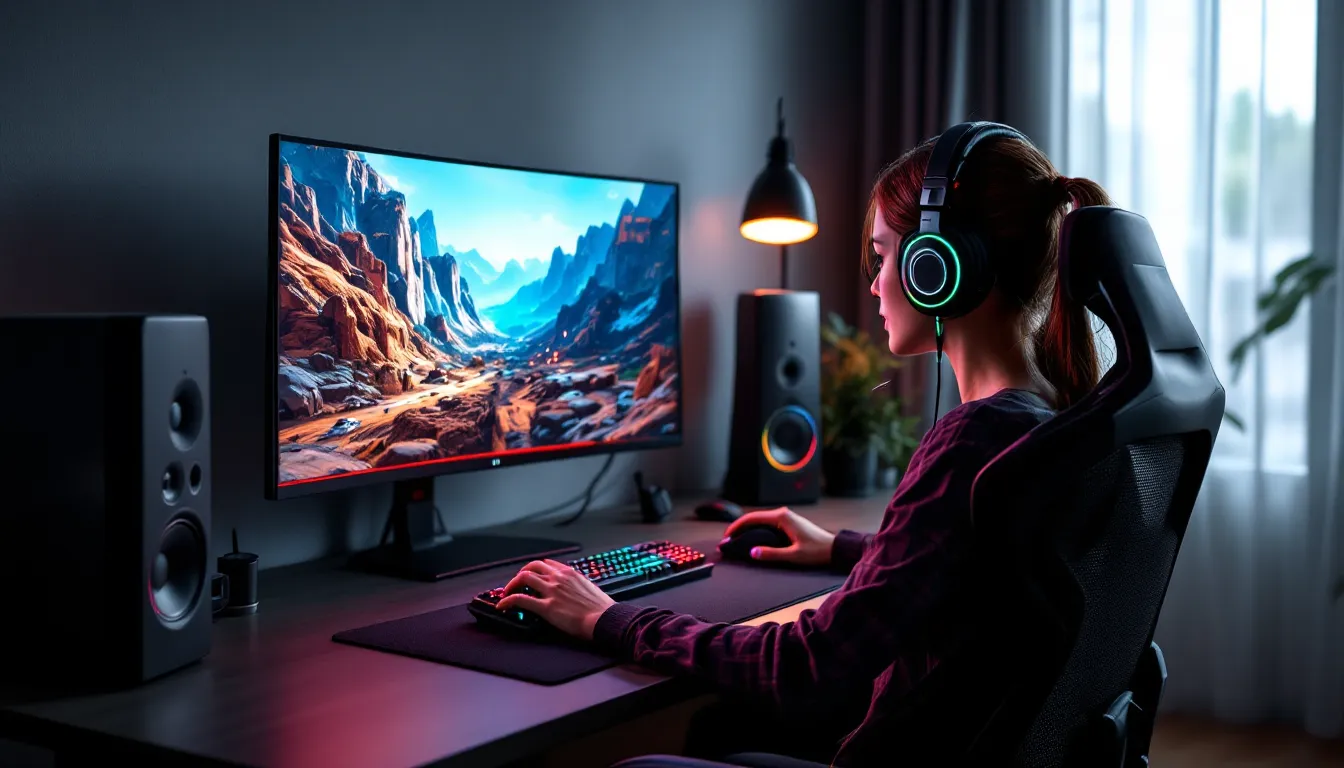
The gap between winning and losing in modern gaming often comes down to the tools you use. Whether you’re clutching a 1v5 in Valorant, streaming to 10,000 viewers, or grinding ranked on your phone during a commute, the right equipment and software can genuinely transform your experience. Gaming tools in 2026 aren’t just about flashy RGB lights or marketing gimmicks, they’re precision instruments built to reduce input lag, improve accuracy, streamline workflows, and keep you comfortable during marathon sessions.
This guide breaks down the essential hardware, software, analytics platforms, mobile accessories, streaming gear, and ergonomic solutions that serious gamers rely on. You’ll find specific recommendations, performance benchmarks, and practical advice to build a setup that matches your playstyle and budget.
Gaming tools encompass any hardware, software, or accessory designed to improve performance, comfort, or content quality. That includes everything from low-latency mice and high-refresh monitors to aim trainers, VOD review platforms, and ergonomic chairs.
Why they matter: input lag, frame pacing, audio cues, and physical comfort directly impact reaction time and decision-making. A player using a 60Hz monitor and a wireless mouse with 15ms latency is at a measurable disadvantage against someone running 240Hz with a wired, sub-1ms polling peripheral. The skill ceiling hasn’t changed, but the tools dictate how close you can get to it.
Beyond competition, the right tools reduce eye strain, prevent repetitive stress injuries, and make long sessions sustainable. If you’re streaming or creating content, production quality hinges on capture cards, cameras, and overlays that look professional without tanking your frame rate.
In 2026, the market is flooded with options at every price point. The challenge isn’t finding tools, it’s identifying which ones deliver real value versus hype.
Gaming mice in 2026 prioritize sensor accuracy, weight distribution, and polling rates up to 8000Hz. The Logitech G Pro X Superlight 2 and Razer Viper V3 Pro dominate competitive FPS with sub-60g weight and zero acceleration. For MMOs and MOBAs, the Razer Naga V2 Pro offers 19 programmable buttons without sacrificing sensor performance.
Polling rate matters: 8000Hz mice report position every 0.125ms versus 1ms at 1000Hz. That’s imperceptible to most players, but at high ranks in tac shooters, every microsecond counts. Wired connections still edge out wireless for absolute lowest latency, though the gap has narrowed to under 1ms with modern 2.4GHz dongles.
Mechanical keyboards split into linear, tactile, and clicky switches. Competitive players lean toward linears (Cherry MX Speed Silver, Gateron Yellow) for fast actuation, 1.2mm versus the standard 2mm. Keyboards like the Wooting 60HE use Hall Effect sensors for analog input, letting you bind different actions to partial and full keypresses. That’s a game-changer for movement tech in games like Apex Legends or Counter-Strike 2.
Don’t sleep on keycap material: PBT resists shine and feels grippier than ABS during sweaty clutch moments.
Spatial audio isn’t just immersion, it’s intel. Hearing footsteps 10 meters behind you in Warzone or tracking Wraith’s phase sound in Apex gives you a half-second advantage that often decides the fight.
The SteelSeries Arctis Nova Pro Wireless and Audeze Maxwell lead in 2026 for sound staging and driver quality. Both support simultaneous Bluetooth and 2.4GHz, so you can take a Discord call without missing in-game audio. The Maxwell uses planar magnetic drivers, offering clearer highs and tighter bass than traditional dynamic drivers.
For competitive purity, open-back headphones like the Sennheiser HD 560S paired with a standalone mic (Shure SM7B or Elgato Wave:3) outperform gaming headsets in positional accuracy. Open-back leaks sound, so they’re not ideal for noisy environments, but the soundstage is unmatched.
Many gamers overlook DAC/amp combos. A FiiO K7 or Schiit Magni/Modi stack will drive high-impedance headphones properly and reduce noise floor, making quiet audio cues audible.
Refresh rate is the single most impactful upgrade for competitive gaming. Moving from 60Hz to 144Hz feels like removing a blindfold: going to 240Hz or 360Hz tightens the feedback loop further.
In 2026, the sweet spot for most players is 1440p at 240Hz. The ASUS ROG Swift PG27AQN and BenQ Zowie XL2566K offer 1ms GtG response times and are used by pros across Valorant, CS2, and Overwatch 2. For esports purists, 1080p at 360Hz or 500Hz (Alienware AW2524H) sacrifices resolution for the absolute lowest motion blur.
OLED panels are finally viable for PC gaming. The LG 27GR95QE-B and ASUS ROG Swift OLED deliver near-instant pixel response and infinite contrast, but watch for burn-in if you stream with static overlays for 8+ hours daily.
Key specs to prioritize:
Don’t forget to enable your monitor’s full refresh rate in Windows display settings and in-game. You’d be surprised how many players run a 240Hz panel at 60Hz for months.
The Xbox Elite Series 3 (released late 2025) remains the gold standard for customizable controllers, with adjustable stick tension, back paddles, and swappable components. PlayStation’s DualSense Edge matches most features but has shorter battery life.
For fighting games, arcade sticks or hitbox controllers are essential. The Qanba Obsidian 2 and Victrix Pro FS-12 use Sanwa or Hayabusa parts for frame-perfect inputs. Hitbox layouts (all buttons, no stick) have become meta in games like Street Fighter 6 and Tekken 8 because they eliminate diagonal input errors.
Fight pads like the Hori Fighting Commander Octa bridge the gap, offering six-button layouts and d-pad precision without the desk space requirement of a full stick.
PC players increasingly use game pads for specific genres, racing games, soulslikes, and platformers feel better with analog sticks. Steam’s controller configurator lets you map gyro aiming to any pad, giving you mouse-like precision with the comfort of a controller.
MSI Afterburner remains the go-to for GPU overclocking and monitoring. The on-screen display tracks frame time, GPU/CPU usage, temps, and VRAM in real time. Pair it with Rivatuner Statistics Server to cap frame rates precisely, reducing input lag and screen tearing.
Process Lasso prioritizes game processes over background tasks, preventing Windows updates or antivirus scans from tanking your FPS mid-match. Intelligent Standby List Cleaner (ISLC) flushes RAM cache, preventing stutters in memory-intensive games like Star Citizen or Tarkov.
For system-wide tuning, enthusiasts use LatencyMon to identify DPC latency spikes and Timer Resolution to force Windows to 0.5ms timer precision, reducing frame time variance.
GPU drivers matter: NVIDIA’s Game Ready Drivers launch alongside major releases but sometimes introduce instability. Competitive players often stick with Studio Drivers or roll back one version for consistency. AMD’s Adrenalin software has caught up in latency with Anti-Lag 2, which reduces input lag by up to 10ms in supported titles.
Discord dominates voice comms, but in 2026, TeamSpeak 5 has resurged among competitive teams for lower latency and better audio quality. Krisp AI noise suppression (built into Discord Nitro) filters out keyboard clatter and background noise, clutch when you’re in a busy household.
For competitive scrims, Guilded and Revolt offer scrim scheduling, role management, and tournament brackets without leaving the app.
In-game overlays from Overwolf provide real-time stats, build guides, and timers for objectives in League, Dota 2, and Valorant. Tracker Network’s overlays pull live MMR and opponent stats, though some players find that info distracting.
OBS Studio (free, open-source) is the industry standard for streaming and recording. The learning curve is steep, but you get granular control over bitrate, encoding, and scene composition. NVIDIA Broadcast integrates directly, adding AI background removal and noise cancellation.
Streamlabs Desktop simplifies OBS with prebuilt themes and alert integrations but runs heavier. Competitive players often prefer vanilla OBS with the OBS-VirtualCam plugin for cleaner resource usage.
For local recording, ShadowPlay (NVIDIA) and Radeon ReLive (AMD) use GPU encoding, capturing gameplay with minimal FPS hit. ShadowPlay’s Instant Replay feature saves the last 5–20 minutes retroactively, perfect for clipping unexpected plays.
Medal.tv auto-clips highlights using AI, syncing to cloud storage so you never lose a sick ace or clutch. It’s especially popular in Valorant and Apex communities.
Managing games across Steam, Epic, EA, Ubisoft, and Xbox is a nightmare. Playnite and GOG Galaxy 2.0 unify libraries into one launcher, tracking playtime and achievements across platforms.
For performance, Steam’s Shader Pre-Caching reduces stuttering in Vulkan and DirectX 12 titles. Enable it in Steam settings and let shaders compile before launching a new game.
PC builders use modding platforms like Nexus Mods to expand game content, especially in titles like Skyrim, Fallout, and Baldur’s Gate 3. Mod Organizer 2 and Vortex handle load orders and prevent conflicts, essential when running 100+ mods.
Aimlabs and Kovaak’s FPS Aim Trainer remain the best tools for isolating mouse control. Aimlabs leans toward accessibility with ranked playlists and AI feedback: Kovaak’s offers deeper scenario customization and community benchmarks.
In 2026, most pros use aim training as warmup, not grinding for hours. Fifteen to thirty minutes before ranked, focusing on tracking, flicking, and target switching, primes muscle memory without inducing fatigue.
Game-specific routines matter: Valorant players prioritize crosshair placement and tap-fire scenarios, while Apex players drill tracking on strafing bots. Both platforms support importing sensitivity and FOV from any game for 1:1 muscle memory transfer.
3D Aim Trainer has gained traction for its browser-based access and simplicity. It’s lighter than Kovaak’s and works on low-end hardware.
Beyond aim, Osu. (the rhythm game) improves reading speed and cursor precision. Plenty of pro aimers credit Osu. for hand-eye coordination.
Tracker Network supports Valorant, Apex, Warzone, Fortnite, and more, pulling match history, K/D trends, and rank progression. The companion overlay shows your teammates’ stats in pregame lobbies, useful for gauging coordination.
Leetify (for CS2) provides deep analytics: crosshair placement heatmaps, utility usage efficiency, trade success rate, and aim consistency graphs. It highlights whether you’re losing duels to poor positioning or aim, so you know what to drill.
Scope.gg (League of Legends) and DOTABUFF (Dota 2) offer itemization trends, win rate by matchup, and build paths from top-ranked players. Both integrate live game overlays with counterpick suggestions and jungle timers.
For team-based games, Insights.gg tracks comms quality, deaths per misplay, and objective prioritization. It’s used by semi-pro teams prepping for scrims.
Every competitive game now includes demo/replay systems, but third-party tools make analysis faster. SteelSeries Moments and Outplayed by Overwolf auto-tag deaths, kills, and objective plays, so you can scrub directly to key moments.
Gazoom.gg offers AI-driven VOD review for Valorant, flagging positioning errors, crosshair placement mistakes, and missed util opportunities. It’s like having a coach review your demos.
For manual review, export replays and watch at 0.5x speed. Focus on:
Top players review one loss per session. Wins feel good but teach less.
Mobile esports, PUBG Mobile, Call of Duty Mobile, Wild Rift, demand precision that touchscreens can’t deliver. The Backbone One (Gen 2) and Razer Kishi V2 clamp around your phone, providing analog sticks and triggers with sub-10ms latency over USB-C.
For players who prefer touch, trigger attachments like the Flydigi Q1 map L1/R1 inputs to capacitive buttons that clip onto your phone. They’re tournament-legal in most mobile esports and offer faster ADS and fire than thumb controls.
GameSir X4 Aileron features Hall Effect sticks (no drift) and mappable back buttons, plus a cooling fan built into the controller body, addressing heat throttling during ranked grinds.
Compatibility varies: iOS users are limited to MFi-certified controllers unless jailbroken. Android supports any USB-C or Bluetooth controller, including PS5 and Xbox pads.
Modern phones throttle performance when temps hit 40°C+, dropping frame rates mid-match. Phone coolers like the Black Shark FunCooler 3 Pro or Razer Phone Cooler Chroma attach via magnetic or clamp mount, using thermoelectric cooling to drop temps by 10–15°C.
Some coolers include pass-through charging and extra battery capacity. The Red Magic Cooling Back Clip doubles as a 5000mAh power bank, extending sessions from 2 hours to 5+.
Dedicated gaming phones (ASUS ROG Phone 8, Red Magic 9 Pro) include vapor chamber cooling and bypass charging, routing power directly to the board instead of stressing the battery. If you’re serious about mobile gaming, those features justify the cost.
If you’re streaming console gameplay or running a dual-PC setup, a capture card is non-negotiable. The Elgato HD60 X and AVerMedia Live Gamer Ultra 2.1 capture 4K60 with HDR passthrough and USB 3.2 connectivity, eliminating the need for PCIe slots.
For pro setups, the Elgato 4K Pro Mk.2 (PCIe) captures 4K120 with virtually zero latency, used by top Twitch and YouTube streamers. It supports VRR passthrough, so you don’t sacrifice adaptive sync for streaming.
Audio interfaces upgrade mic quality: the Focusrite Scarlett Solo and MOTU M2 provide clean preamps and zero-latency monitoring. Pair with an XLR dynamic mic like the Shure SM7B or Electro-Voice RE20 for broadcast-grade vocals without room noise.
Don’t underestimate boom arms and shock mounts, they reduce desk vibration and keyboard clatter bleed.
StreamElements and Streamlabs offer drag-and-drop overlay editors, alert widgets, chatbots, and merch integration. Both platforms are free, monetizing through premium themes and tip processing.
For custom overlays, designers use Figma and export static images or Lottie animations for lightweight, GPU-friendly graphics. Avoid bloated animated overlays, they tank FPS on single-PC streams.
Firebot and Streamer.bot automate advanced interactions: playing sound effects on sub/follow, triggering Philips Hue lights, or executing macros in response to chat commands. Viewers love interactive streams, and automation keeps you focused on gameplay.
OWN3D Pro bundles overlays, alerts, music, and emotes in monthly subscriptions. Quality is high, but customization is limited compared to building your own assets.
Key lighting separates amateur streams from professional ones. The Elgato Key Light Air and Neewer RGB panels provide adjustable color temp (2700K–6500K) and brightness, eliminating shadows and washing out background clutter.
Three-point lighting (key, fill, backlight) adds depth. Backlight separates you from the background, making face cams pop.
Webcams in 2026 have mostly plateaued. The Logitech Brio 4K and Razer Kiyo Pro Ultra remain top picks, but serious streamers use mirrorless cameras (Sony A6400, Canon M50 Mark II) with HDMI capture for shallow depth-of-field and superior low-light performance.
For those interested in building a complete streaming environment, guides on setup optimization from How-To Geek cover cable management, soundproofing, and multi-monitor configs. Good lighting and a clean background matter more than resolution, viewers forgive 1080p but won’t tolerate a grainy, poorly lit face cam.
Gaming chairs are mostly marketing. The Secretlab Titan Evo 2022 and Noblechairs Hero are well-built, but you’re paying for branding. Office chairs like the Herman Miller Aeron or Steelcase Leap V2 offer better lumbar support and breathability for long sessions.
Key features:
Desk height matters more than people realize. Elbows should rest at 90° with forearms parallel to the floor. Use a standing desk converter or adjustable desk (FlexiSpot, Uplift V2) if your current setup forces awkward wrist angles.
Footrests relieve lower back pressure if your feet dangle. Wrist rests (foam or gel) reduce strain during long keyboard sessions, but don’t rest wrists while typing, only during pauses.
Monitor arms free desk space and let you position screens at eye level, preventing neck strain. Ergotron LX and Arctic Z1-3D are reliable single-monitor arms: Ergotron HX handles ultrawides up to 49″.
Blue light’s impact on eye strain is debated, but it definitely disrupts sleep if you’re gaming late. Windows Night Light and macOS Night Shift reduce blue output after sunset, though they tint everything orange.
f.lux offers more granular control, adjusting color temp based on location and time. Set it to transition gradually starting two hours before bed.
Gunnar glasses and blue-light-blocking lenses reduce glare and eye fatigue. Effectiveness varies by individual, but many streamers swear by them for 10+ hour sessions.
Hardware reviews and detailed benchmarks from Tom’s Hardware evaluate monitor flicker rates, blue light output, and PWM dimming, factors that contribute to eye strain over time. The 20-20-20 rule remains best practice: every 20 minutes, look at something 20 feet away for 20 seconds.
Start with your primary game and playstyle. A Valorant one-trick needs different tools than a variety streamer or a mobile PUBG grinder.
Competitive FPS players prioritize low-latency peripherals: wired mice, 240Hz+ monitors, and lightweight keyboards. Spend more on the monitor than anything else, it’s the longest-lasting upgrade.
MMO and MOBA players benefit from macro-heavy mice, ultrawide monitors for peripheral vision, and comfortable chairs for long raid nights. Latency matters less than keybind accessibility.
Console gamers should focus on controller customization (Elite, Scuf, Battle Beaver) and audio, since most play on TVs with higher input lag, investing in better sound provides more competitive value.
Content creators need capture cards, lighting, and reliable streaming software. Prioritize audio quality over video: bad mic audio kills viewer retention faster than 720p.
Mobile players gain the most from cooling solutions and trigger attachments. Phones throttle aggressively, so thermal management directly impacts frame rate consistency.
Set a budget and allocate proportionally:
Upgrade iteratively. Don’t buy everything at once, test what improves your experience and iterate from there. Diminishing returns hit hard above mid-tier pricing.
Gaming tools in 2026 offer more options than ever, but the fundamentals haven’t changed: reduce latency, improve accuracy, and stay comfortable. A 240Hz monitor won’t magically boost your rank, but it removes a layer of friction between your intent and execution. Same for a proper mouse, a solid audio setup, and a chair that doesn’t wreck your back after six hours.
Focus on tools that address actual pain points in your setup. If you’re dropping frames, optimize software and thermals before buying new hardware. If your wrist hurts, fix your desk height and mouse grip. If you can’t hear footsteps, upgrade your headset or tweak your EQ.
The best gaming tool is the one you’ll actually use consistently. Build your setup around your habits, not hype cycles.
