Physical Address
304 North Cardinal St.
Dorchester Center, MA 02124
Physical Address
304 North Cardinal St.
Dorchester Center, MA 02124

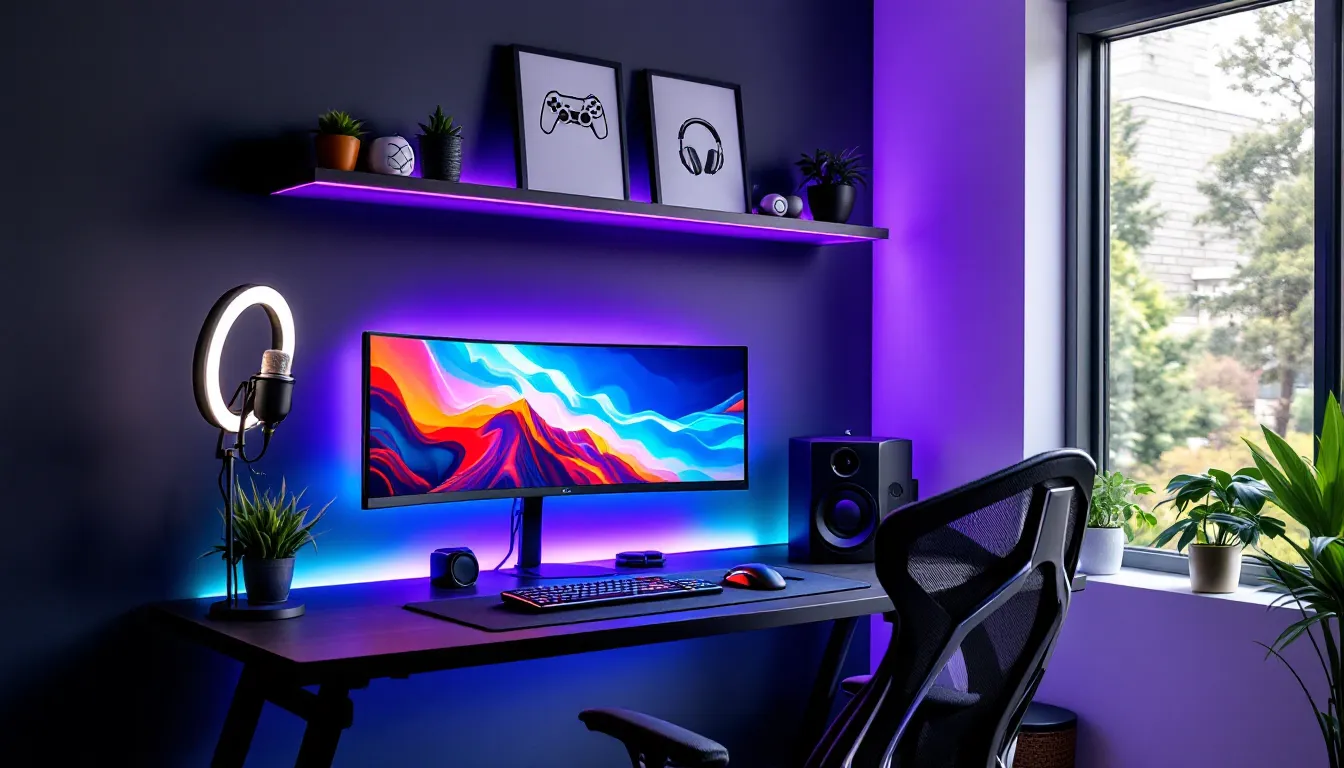
Your gaming setup isn’t just about GPU clock speeds and refresh rates anymore. Walk into any streamer’s room or browse through r/battlestations, and you’ll notice a trend: the environments look as carefully crafted as the builds themselves. Gaming decor has evolved from tossing up a few posters to creating immersive spaces that affect how you play, stream, and feel during those marathon sessions.
The right decor doesn’t just make your space Instagram-worthy (though it helps). It reduces eye strain during late-night raids, keeps you comfortable during ranked grinds, and, if you’re streaming, gives viewers a reason to hit that follow button. Whether you’re working with a corner desk in a shared apartment or building out a dedicated gaming room, the aesthetics you choose shape your entire experience. In 2026, gaming decorations range from budget-friendly DIY projects to smart-integrated premium setups that respond to in-game events. Let’s break down how to build a space that actually enhances your gaming life.
Performance starts with hardware, but the environment amplifies it. Poor lighting creates glare on your monitor, forcing your eyes to work harder and spiking fatigue during clutch moments. A cluttered desk means fumbling for your water bottle mid-match or knocking over your mic stand during a hot mic moment. Gaming decor solves these problems before they cost you the round.
Immersion is the other half. When your space matches the vibe of the games you play, cyberpunk neon for Cyberpunk 2077, clean minimalism for competitive FPS grinders, you mentally shift into gaming mode faster. It’s the same reason pro players have consistent setup configurations across tournaments: familiarity and environment affect focus.
Streaming amplifies this exponentially. Viewers decide in 3-5 seconds whether to stick around, and your background is part of that first impression. A well-decorated setup signals effort and professionalism, even if you’re just streaming for friends. Conversely, a bare wall with visible laundry in the corner? That’s a bounce.
Ergonomics tie into decor more than people realize. The right furniture and spatial layout reduce strain on your back, neck, and wrists. Placing your monitor at eye level, positioning your chair correctly, and ensuring your keyboard and mouse have enough real estate aren’t just comfort upgrades, they’re performance optimizations. Gaming decorations that prioritize function alongside form give you an edge, especially during those 12-hour weekend grinds.
RGB isn’t just meme fuel, it’s the backbone of modern gaming aesthetics. Bias lighting behind your monitor reduces eye strain by minimizing the contrast between your bright screen and dark room. Go for 6500K color temperature LED strips if you want accurate color representation, or fully addressable RGB strips if you want reactive lighting that syncs with your games.
Philips Hue and Govee dominate the smart lighting space in 2026, with the latter offering better value for gamers. Govee’s DreamView system can mirror on-screen colors in real-time, creating an immersive glow that extends your display into the room. For competitive players, consider toggleable lighting modes, full RGB for casual sessions, solid white or off for ranked matches where you need zero distractions.
Desk-mounted LED bars and corner lamps add depth without overwhelming your space. Position them to avoid monitor glare, typically behind or to the side of your display. If you’re streaming, front-facing ring lights or key lights are non-negotiable: even the best webcam struggles in poor lighting.
Walls shouldn’t stay blank, but avoid the college dorm vibe of haphazardly taped posters. Framed prints instantly elevate the look. Displate offers metal posters that attach magnetically, no holes, easy to swap. Popular choices include game-specific art (Elden Ring, Valorant agent portraits, The Legend of Zelda minimalist designs) and abstract gaming motifs like pixel art or controller schematics.
Alternatively, LED neon signs have exploded in popularity. Custom signs with your gamertag, favorite game logo, or phrases like “GG EZ” or “Respawn Point” add personality. These work especially well as focal points in streaming backgrounds.
Consider acoustical foam panels disguised as art. Brands like Elgato offer Wave Panels that dampen echo while looking intentional, not like you’re recording a podcast in your mom’s basement. They come in various colors to match your theme.
Your chair and desk are the foundation. Secretlab and Herman Miller dominate the premium chair space, but 2026 has seen solid mid-tier options from brands like Mavix and AndaSeat. Look for adjustable lumbar support, 4D armrests, and breathable materials, leather looks slick but turns into a sweat trap during summer.
Desks need surface area for dual or triple monitor setups, plus room for peripherals. L-shaped or corner desks maximize space in smaller rooms. Cable management isn’t technically decor, but visible cable spaghetti ruins an otherwise clean setup. Use cable raceways, velcro straps, and under-desk trays to hide the mess.
Footrests, monitor arms, and desk pads complete the ergonomic triangle. A monitor arm frees up desk space and lets you adjust height/angle on the fly. Extended mouse pads (900mm+) unify your desk surface and reduce friction inconsistencies, critical for low-DPI FPS players.
Minimalism works for players who want zero distractions. Think monochrome palettes, black, white, grey, with selective pops of color (usually one accent RGB hue). The goal is clean lines, hidden cables, and negative space.
IKEA’s LINNMON/ALEX combo remains the budget king for this style. Pair it with a black or white gaming chair, a single ultrawide monitor, and subtle bias lighting. Wall-mounted shelves for headphones and controllers keep surfaces clear. This theme pairs well with competitive FPS and RTS players who prioritize focus over flair.
Minimalist doesn’t mean boring. Small touches, a single high-quality figure (think First 4 Figures statues), a sleek desk lamp, or a mechanical keyboard with clean keycaps, add personality without clutter.
Retro themes tap into the golden age of gaming: NES, SNES, Sega Genesis, arcade cabinets. This style embraces bold primary colors, red, blue, yellow, and pixel art.
Display classic consoles on floating shelves or in shadow boxes. Combine CRT monitors (for that authentic scanline look) with modern displays. Posters from 80s/90s games (Super Mario, Sonic, Street Fighter) work here, as do neon signs mimicking arcade aesthetics.
FunkoPop collections, cartridge displays, and retro controller wall mounts fit perfectly. Pair this theme with a custom PC build in a retro-inspired case (like the NZXT H1 modded with throwback decals). This vibe works for variety streamers and retro game enthusiasts.
Cyberpunk is all about neon against darkness, think Blade Runner meets Cyberpunk 2077. Heavy use of RGB, particularly pink, cyan, and purple gradients. Hexagonal wall panels, LED strips everywhere, and dark desks/walls to make the lights pop.
Nanoleaf shapes or hexagonal smart panels are staples here. They’re modular, reactive, and scream “future.” Pair them with a black or dark grey setup, glossy surfaces, and reflective materials. Cable management is critical, exposed cables break the illusion unless they’re intentionally lit with their own LED wraps.
Props like replica cyberpunk weapons, futuristic helmets, or 3D-printed sci-fi accessories enhance the theme. This style dominates among streamers and players of titles like Valorant, Apex Legends, and Destiny 2.
Committing to a single game or franchise creates instant cohesion. League of Legends fans might deck out their space with champion figurines, team jerseys, and official Riot merch. Halo players could go full UNSC with green and grey tones, Master Chief helmets, and Spartan insignias.
Official merchandise has gotten better. Companies like Razer partner with major franchises (Overwatch, Genshin Impact, Final Fantasy XIV) for themed peripherals, keyboards, mice, headsets that match in-game aesthetics.
Be careful not to overdo it. A room plastered floor-to-ceiling with one franchise can feel like a shrine rather than a functional space. Aim for tasteful integration: themed keycaps, a central wall art piece, a color palette inspired by the game’s UI.
DIY separates generic setups from unique ones. Custom monitor backlights can be built for under $20 using basic LED strips from Amazon and a USB power source. Adhesive-backed strips stick directly to the back of your monitor, instant bias lighting.
Painted wall accents cost the price of a can of paint (around $15-25). A single accent wall in a bold color, deep blue, charcoal grey, forest green, creates depth without needing art or decor. Use painter’s tape to create geometric patterns or stripes for extra flair.
3D printing opens endless possibilities if you have access to a printer (or know someone who does). Print custom headphone stands, cable management clips, figurine stands, or game-themed desk organizers. Sites like Thingiverse offer thousands of free STL files for gaming-related prints.
Vinyl decals transform blank walls or furniture cheaply. Etsy sellers offer custom designs, controller outlines, game logos, inspirational gamer quotes, starting at $10-15. These apply easily and remove without damage, perfect for renters.
Repurposed shelving from thrift stores or garage sales can hold collectibles, games, or peripherals. A coat of spray paint and some LED strip lighting underneath turns a $10 shelf into a showcase piece.
Timing matters. Black Friday, Cyber Monday, and Amazon Prime Day offer deep discounts on gaming decor. Govee lighting systems regularly drop 30-40% during sales. Sign up for price alerts on CamelCamelCamel to track drops.
AliExpress and Temu carry budget versions of popular items. Quality varies, but RGB strips, desk organizers, and cable management accessories are generally safe bets. Expect 2-4 week shipping.
Printable wall art from Etsy costs $3-8 per digital file. Print it at home or at a local print shop (FedEx Office, Staples) for a fraction of custom art prices. Use IKEA frames to keep total cost under $20 per piece.
LED light bulbs with RGB capability (Wyze, Philips) cost $10-15 each and instantly change room ambiance. Place them in existing lamps for smart lighting without buying entirely new fixtures.
Second-hand marketplaces like Facebook Marketplace, OfferUp, and Craigslist often have gaming chairs, desks, and shelving at steep discounts. People upgrade setups and offload perfectly functional furniture for half retail. Inspect for damage, but the savings are real.
Premium setups integrate lighting with smart home ecosystems. Philips Hue Play HDMI Sync Box ($230-280) analyzes your gameplay in real-time and adjusts room lighting to match. Playing Resident Evil? Lights shift to ominous reds and flickering whites during tense moments. Racing through Forza Horizon? Colors pulse with your speed.
Nanoleaf Lines and Shapes (starting around $200 for starter packs) offer modular, touch-reactive panels that mount to walls or ceilings. They respond to music, screen content, or voice commands via Alexa/Google Assistant. The Nanoleaf 4D system adds a camera that watches your screen and projects matching colors onto the wall behind it, immersion cranked to 11.
LIFX and LIFX Beam are Wi-Fi-enabled alternatives to Hue, skipping the need for a hub. Their Beam kits ($180-220) create angular light designs on walls, ideal for geometric or cyberpunk themes.
Automation elevates this further. Set routines that dim lights when you launch certain games, shift to neutral white during competitive matches, or pulse RGB during victory screens. Integrate with StreamLabs or OBS for lights that change with viewer alerts, donations trigger color shifts or animations.
High-end setups treat the gaming room as a holistic environment. We’re talking custom-built PC desks with integrated cable routing, monitor mounts, and built-in LED channels. Companies like Lian Li and Mainframe Customs design desks starting around $1,500-3,000 depending on materials (aluminum, tempered glass, hardwood).
Acoustic panels go beyond Elgato’s offerings. GIK Acoustics and Auralex provide professional-grade treatments with custom printing, your game art or logos printed directly onto sound-dampening foam. Expect $300-800 for enough panels to treat an average room.
Motorized desks from Uplift or Fully (starting $600-1,200) allow preset height adjustments at the touch of a button. Program standing and sitting heights for health and comfort without manual cranking.
Custom soundproofing involves installing mass-loaded vinyl behind drywall, building resilient channel ceiling mounts, and sealing gaps with acoustic caulk. A professionally soundproofed room runs $2,000-5,000 but is essential for serious content creators or those in shared living spaces.
Smart glass or motorized blinds ($400-1,000 per window) control natural light without leaving your chair. Darken the room for immersive horror games or let sunlight in during casual streams, all via voice command or app.
Hiring professional installers for lighting, soundproofing, and cable management typically adds $500-2,000 depending on room size and complexity, but the results look studio-grade. Many detailed gaming tech setups provide guides, though pros handle it faster and cleaner.
Your background is your brand. Streamers should design the area visible on camera first, then expand outward. The classic mistake: spending money on decor the camera never sees.
Depth creates visual interest. Position your chair 3-5 feet from the back wall. This allows for background blur (if using a DSLR or mirrorless camera) and prevents a flat, compressed look. Layer decor, shelves at different heights, LED strips behind and beside you, wall art staggered.
Symmetry appeals to viewers. Center yourself in frame with balanced lighting and decor on both sides. Asymmetry works too, but it’s harder to pull off. If you’re going asymmetric, ensure the “heavier” side (more decor, brighter lights) is on the side with less screen real estate in your layout.
Avoid movement. Flags, curtains, or anything that sways with airflow distracts viewers. Keep background elements static unless movement is intentional (like reactive LED panels).
Color contrast helps you pop. If you typically wear darker clothing, use brighter backgrounds. Light clothing? Darker backgrounds prevent you from blending in. Test your setup on stream or record test footage to check visibility.
Lighting is non-negotiable. Key light (main light on your face) should be soft and diffused, Elgato Key Light Air or Neewer soft boxes are common. Fill light (secondary light to reduce shadows) at lower intensity. Back/rim light separates you from the background. Many monitor and lighting reviews help identify the best gear for streaming setups.
Green screens save space and offer flexibility, but they require consistent, even lighting and distance from the wall. In 2026, AI-powered background removal (Nvidia Broadcast, OBS plugins) often outperforms cheap green screens, though high-quality chromakey still reigns for professional streams.
Bad audio kills streams faster than bad video. Echo, background noise, and hollow room tone are immediate red flags.
Acoustic foam absorbs mid-to-high frequencies, reducing echo. Place panels at first reflection points, where sound bounces from walls to your mic. Bass traps in corners handle low-frequency rumble. This isn’t full soundproofing (which blocks sound from entering/leaving), but it cleans up your audio dramatically.
Carpets and rugs dampen sound better than hardwood or tile. If you can’t change flooring, large area rugs under your desk and chair help. Heavy curtains over windows do the same.
Booth-style setups isolate your mic. Products like the Aston Halo or sE Electronics Reflexion Filter create a mini sound booth around your microphone, rejecting room noise and reflections. Less effective than treating the whole room, but solid for budget setups.
Door sweeps and weatherstripping seal gaps where sound leaks. If you share your space or live in a noisy area, these cheap fixes ($10-20) reduce external noise bleed significantly.
Dynamic microphones (Shure SM7B, Electro-Voice RE20) reject background noise better than condensers, which pick up everything in the room. If you can’t fully treat your space, switching mic types helps. Pair with a noise gate in OBS to cut audio when you’re not speaking.
Test your setup by recording in Audacity or OBS with typical background noise, AC running, PC fans, roommates talking. If it’s picked up clearly, you need more treatment.
Over-lighting is the number one error. Too much RGB becomes visual noise, not atmosphere. Stick to 2-3 light sources plus bias lighting. More than that and your room looks like a rave, not a gaming space. If you can’t focus on your screen because of peripheral lighting, dial it back.
Ignoring cable management tanks otherwise great setups. Visible cable clutter breaks immersion and looks sloppy on stream. Invest $20-30 in cable raceways, velcro ties, and under-desk trays. Route cables behind your desk or along edges, never draped across your setup.
Buying decor before planning layout wastes money. Measure your space, plan your furniture placement, then buy decor to fit. That giant poster you bought might not fit once your monitors are positioned. Sketch your layout or use room planning tools before spending.
Mismatched themes create visual chaos. Pick one aesthetic direction and commit. A cyberpunk neon setup with retro pixel art and minimalist furniture confuses the eye. You can blend adjacent styles (retro-futurism, for example), but three unrelated themes clash.
Sacrificing function for form is tempting but punishing. That sick-looking chair with zero lumbar support will destroy your back after two hours. RGB everywhere looks cool but tanks focus during ranked matches. Decor should enhance your gaming, not hinder it.
Poor furniture ergonomics cause long-term damage. Monitor too low? Neck strain. Desk too high? Shoulder pain. Chair without proper support? Back problems. Prioritize ergonomic setup, then add aesthetic touches. Health > looks, always.
Neglecting the ceiling is a missed opportunity. Most people focus on walls and desks, but the ceiling is prime real estate. LED strip channels, Nanoleaf panels, or even simple indirect lighting can add depth and ambiance from above without crowding your space.
Forgetting about your camera view (if streaming). That awesome decor might be entirely off-camera. Before buying, check what’s actually visible in your typical streaming frame. Adjust your layout so your best pieces are in shot.
Not testing lighting before committing leads to unusable setups. Buy one LED strip or panel, test it in your space, see how it looks on camera and in person, then expand. Lighting behaves differently depending on wall color, room size, and existing light sources.
Gaming decor in 2026 isn’t about following trends blindly, it’s about building an environment that supports how you play. Whether you’re grinding ranked with a minimalist setup that kills distractions, streaming with a carefully lit background that brands your channel, or just creating a space that makes you excited to sit down and game, the details matter.
Start with function: proper lighting, ergonomic furniture, and smart layout. Layer in aesthetics that match your style, whether that’s cyberpunk neon, retro nostalgia, or game-specific themes. Work within your budget, DIY solutions and smart shopping can achieve 80% of the impact at 20% of the cost. And if you’re investing in premium, focus on automation and quality that lasts.
Your setup will evolve. Games change, new tech drops, and your taste shifts. Build a foundation that’s modular, easy to swap out wall art, adjust lighting scenes, or reconfigure furniture. The best gaming spaces grow with their owners, adapting to new hardware, new games, and new goals.
Now close this tab and take a hard look at your current setup. What’s the first thing you’re going to change?
