Physical Address
304 North Cardinal St.
Dorchester Center, MA 02124
Physical Address
304 North Cardinal St.
Dorchester Center, MA 02124

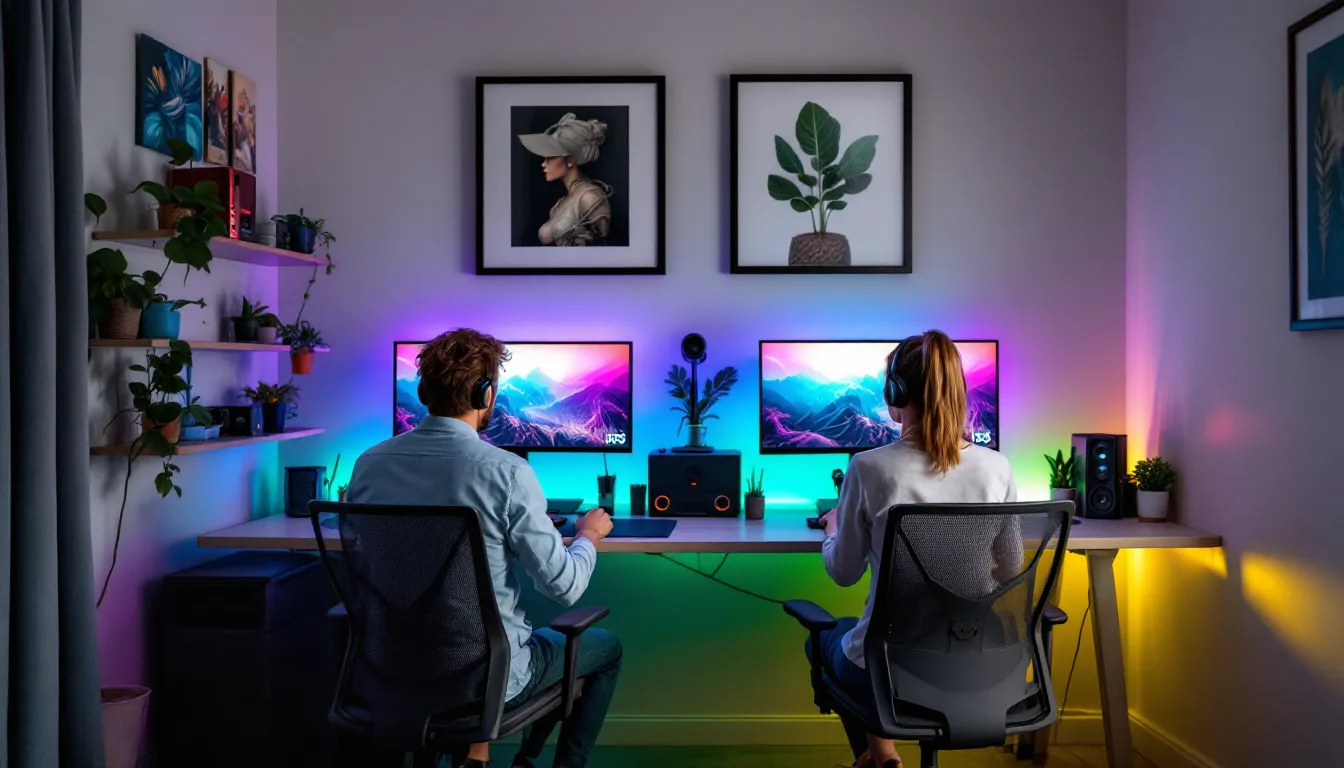
Gaming together isn’t just about sharing a hobby anymore, it’s about building a space where two people can compete, cooperate, and occasionally argue over who’s carrying the team. Whether you’re grinding ranked matches, exploring open worlds side-by-side, or just vibing through a co-op campaign, a well-designed couples gaming setup can transform how you experience games together.
But here’s the thing: setting up a shared gaming space is trickier than just shoving two desks in a room and calling it done. You’re dealing with dual hardware needs, cable chaos, competing RGB preferences, and the eternal question of who gets the better monitor. This guide walks through everything you need to build a couples gaming setup that works for both of you, from furniture and hardware to lighting, network optimization, and game selection. No fluff, just the practical stuff that actually matters.
The shift toward shared gaming spaces has accelerated hard over the past few years. Remote work normalized dedicated home office setups, and many couples realized they could merge work-from-home spaces with gaming stations. Add in the explosion of cross-platform play, Game Pass subscriptions, and affordable gaming hardware, and suddenly it makes sense to invest in a proper dual setup rather than fighting over screen time.
Streaming culture plays a role too. More couples are creating content together, whether that’s casual streaming on Twitch, uploading co-op playthroughs to YouTube, or just recording clips for friends. A dedicated couples setup isn’t just for fun anymore: for some, it’s a creative outlet or even a side income stream.
There’s also the practical angle: gaming together in the same physical space beats Discord calls from separate rooms. You get the banter, the immediate reactions, the ability to glance over and see what your partner’s dealing with in real-time. It’s a different vibe entirely, and once you’ve experienced it, going back to solo rooms feels isolating.
Before buying a single piece of gear, measure your space. Seriously. A side-by-side dual desk setup needs at least 10-12 feet of wall space to avoid feeling cramped, and you’ll want room behind the chairs for airflow and cable access. If you’re working with a smaller bedroom or apartment, you might need to get creative with corner desks or L-shaped configurations.
Budget planning should account for more than just hardware. Yes, you need two of most things, monitors, peripherals, maybe even PCs or consoles, but don’t forget furniture, cable management supplies, lighting, and networking upgrades. A realistic starter budget for a complete couples gaming setup runs between $2,500-$5,000, depending on whether you’re building high-end PCs or sticking with consoles. You can go lower if you already own some equipment or higher if you’re chasing 4K 144Hz dreams.
Prioritize based on what you’ll actually use. If you’re both competitive FPS players, invest in quality monitors and low-latency peripherals. If you’re more into story-driven co-op games, comfort and audio quality might matter more than frame rates.
Side-by-side is the default choice for most couples. You’re both facing the same direction, which creates a “we’re in this together” feel during co-op sessions. It’s easier to share tips, glance at each other’s screens, and coordinate strategies without turning around. Cable management is simpler too, since everything can run along the same wall.
The downside? If one of you streams or takes calls, the other person’s noise can bleed into your mic. And if your gaming styles differ, one likes late-night sessions with bright RGB, the other prefers chill afternoon gaming, you’re always in each other’s peripheral vision.
Facing arrangements (desks opposite each other) work better if you need more independence or if your space is shaped that way. It gives each person their own territory and can actually improve focus during competitive gaming. The trade-off is more complex cable routing and a bit less of that collaborative feel.
Some couples split the difference with an L-shaped setup, where desks meet at a corner. This gives you both independence and proximity, you’re not directly in each other’s line of sight, but you can still lean over and share something cool without getting up.
The dual desk approach gives each person full control over their workspace. You can each pick your preferred desk height, depth, and features (like built-in cable grommets or monitor arms). It’s also more flexible if one of you needs a standing desk or wants to rearrange later. Matching desks look clean, but mixing styles to suit individual needs is totally valid.
Popular options include the IKEA Karlby/Alex combo (affordable, customizable, massive surface area) or dedicated gaming desks like the Secretlab Magnus (built-in cable management, steel frame, magnetic accessories). Expect to spend $200-$600 per desk depending on size and features.
Single long desks (8-10 feet) create a unified workspace and often cost less than buying two separate desks. They’re great if you’re both using similar setups and don’t mind sharing the space. The catch is you’ll both need to agree on desk height, and cable management becomes a shared responsibility. If one person’s a cable management wizard and the other’s a chaos goblin, this can create friction.
Whichever route you go, aim for at least 24 inches of depth to accommodate monitors, keyboards, and some breathing room. 30 inches is better if you’re running dual monitors or large speakers.
Gaming chairs get a lot of hate, and honestly, a lot of the cheap racing-style chairs deserve it. But comfort over 4-6 hour sessions matters, especially if you’re both grinding ranked or marathon co-op campaigns.
Ergonomic office chairs like the Herman Miller Aeron or Steelcase Leap are gold standard for long-term comfort but expensive ($800-$1,400 each). For gaming-specific options that don’t suck, look at:
Don’t cheap out here. Two bad chairs will make every session miserable, and you’ll end up replacing them anyway. If budget’s tight, get one good chair for whoever games more, and upgrade the second one later.
This depends entirely on what you’re playing and how much you want to spend. Two gaming PCs give you maximum flexibility, you can play any game, mod freely, adjust settings independently, and upgrade over time. But you’re looking at $1,200-$2,000+ per build for solid 1440p gaming rigs. The upside is that PCs double as workstations if you need them.
Console setups are simpler and cheaper upfront. Two PS5s or Xbox Series X consoles run about $500 each (when not scalped), plus you’ll need subscriptions for online play. The game library overlaps heavily for co-op and multiplayer titles, and setup is plug-and-play. The downside is you’re locked into console ecosystems and can’t tweak performance.
A hybrid approach, one PC, one console, works if you play different types of games. Maybe one of you is deep into competitive shooters on PC while the other prefers console exclusives or just wants something less fiddly. Cross-platform play has gotten good enough that you can squad up in most major titles regardless of platform.
Monitors are where you’ll spend a lot of time staring, so don’t half-ass this. If you’re both playing similar games, matching monitors create visual consistency and avoid “your screen looks better than mine” arguments.
For competitive gaming (FPS, MOBAs, fighting games), prioritize:
For single-player or co-op focused setups:
If you’re on console, don’t sleep on 4K 120Hz options. The PS5 and Xbox Series X support it, and games like Fortnite, Halo Infinite, and Call of Duty take advantage of that refresh rate. Many gamers reference detailed monitor testing and comparisons to find panels with the best input lag and motion handling for their preferred genres.
Avoid ultra-wide monitors for a couples setup unless you’re both using them, the size difference will feel lopsided.
Audio is tricky when two people are gaming in the same room. You’ve got a few options:
Headsets are the default for a reason, they isolate sound, eliminate echo for voice chat, and let you each control your own volume. For couples setups, wireless headsets reduce cable clutter. Solid picks:
Speakers work if you’re playing co-op games together and don’t need voice chat, but they can bleed into each other’s mics if you’re on comms with different squads. If you go this route, position them carefully and use directional speakers.
Open-back headphones are a compromise, better sound quality and less ear fatigue than closed-back gaming headsets, but you’ll hear each other’s game audio slightly. Fine for co-op, not great for competitive.
Pro tip: invest in boom mic arms like the Elgato Wave Mic Arm for desk-mounted XLR mics if you’re both streaming or in Discord constantly. Pair with dynamic mics (Shure SM7B, Rode PodMic) to minimize room noise pickup.
Cable management isn’t sexy, but it’s the difference between a clean setup you’re proud to show off and a rat’s nest that stresses you out every time you glance down. With two full gaming rigs, you’re dealing with:
Essential cable management supplies:
Start by routing all power cables to a single surge protector or UPS under each desk. Bundle display and USB cables separately from power cables to reduce interference. Use cable sleeves or raceways to run everything down the desk legs to a single exit point, then along the wall to your power outlet and router.
Label cables. Seriously. You’ll thank yourself later when you need to troubleshoot or rearrange. Masking tape and a Sharpie work fine: fancy label makers are overkill.
If you’re going through a wall to another room for your router or power, hire an electrician or at least use proper cable management practices, don’t just drill a hole and shove cables through.
RGB lighting is divisive, some people love the customization, others think it’s tacky. In a couples setup, the trick is making it look intentional rather than like a unicorn threw up in your room.
If you’re both into RGB, sync your lighting ecosystem. Stick with one brand (Philips Hue, Govee, Nanoleaf, Corsair iCUE) so you can coordinate colors and effects across both setups. Matching color schemes create visual harmony, you don’t both need to run the same rainbow puke cycle, but complementary colors or matching static tones look way better than random chaos.
Popular RGB additions:
If one of you hates RGB and the other loves it, compromise with subtle accent lighting, warm white bias lighting behind monitors or soft ambient strips under the desk. It reduces eye strain without screaming “gamer cave.”
Lighting in a gaming room needs to balance three things: reducing eye strain, avoiding screen glare, and setting the vibe you want.
Bias lighting (a light source behind your monitor) reduces eye strain during long sessions by decreasing the contrast between your bright screen and dark room. Aim for 6500K color temperature (neutral white) at about 10-20% of your monitor’s brightness. LED strips on the back of each monitor do the job for $15-30.
Ambient lighting should be indirect and adjustable. Overhead lights create glare and harsh shadows, so use floor lamps, wall sconces, or smart bulbs in fixtures that point away from screens. Dimmable lighting lets you adjust based on time of day or game type, brighter for competitive gaming, dimmer for horror games or late-night sessions.
Blackout curtains or shades help if you’re gaming during the day and want to reduce glare on glossy monitor screens. Just make sure you’ve got good ventilation, two gaming PCs or consoles in a closed room will heat things up fast.
Two people gaming simultaneously puts real strain on your network, especially if you’re both playing online competitive games, streaming, or downloading updates in the background. Here’s how to keep things smooth.
Run ethernet cables to both setups. Wi-Fi is fine for casual gaming, but if you’re playing anything competitive or latency-sensitive, wired connections eliminate packet loss and jitter. Cat6 or Cat6a cables handle gigabit speeds and are cheap, there’s no excuse to game on Wi-Fi if you can physically run a cable.
If ethernet isn’t possible, use a mesh Wi-Fi system (Eero, Google Nest, Netgear Orbi) with dedicated backhaul to reduce congestion. Position nodes close to your gaming room and make sure both setups connect to the 5GHz band, not 2.4GHz.
Upgrade your router if you’re still using ISP-provided hardware. A quality gaming router with QoS (Quality of Service) lets you prioritize gaming traffic over background downloads or streaming. Look for:
Popular options include the ASUS RT-AX86U ($250), Netgear Nighthawk XR1000 ($300), or TP-Link Archer AX90 ($200).
Your internet speed matters too. For two people gaming online simultaneously, you want at least 100 Mbps download to handle game traffic, voice chat, and occasional streaming. If either of you streams on Twitch or uploads to YouTube, aim for 20+ Mbps upload.
Finally, use separate DNS servers (like Cloudflare’s 1.1.1.1 or Google’s 8.8.8.8) instead of your ISP’s defaults. It’s a small tweak that can reduce latency slightly.
Once your setup’s dialed in, you need games that actually make use of it. Co-op games where you’re working together are the sweet spot, they’re collaborative without the frustration of competing against each other.
Story-driven co-op:
Action co-op:
Chill co-op:
Playing competitively together (on the same team) can be awesome or relationship-ending depending on how you approach it. Here’s how to keep it fun:
Set expectations early. If one of you is diamond rank and the other’s silver, you’ll get matched against tougher opponents when you queue together. Acknowledge the skill gap and focus on improvement, not blame.
Play different roles. In team-based games like Overwatch 2, Valorant, or League of Legends, you can complement each other’s playstyles. One person mains support or tank, the other DPS. You’re working together without stepping on each other’s toes.
Use unranked modes for learning. Grind ranked solo, play unranked or casual together. It takes the pressure off and lets you experiment without tanking each other’s MMR.
Avoid blame spirals. If you lose, don’t point fingers. Take a break, switch games, or just call it for the night. Gaming together should be fun, not a source of stress.
Games that work well for competitive couples:
Not everyone can drop five grand on a dual gaming setup, and that’s fine. Here’s how to build a functional couples gaming space without emptying your bank account.
Start with what you have. If one or both of you already owns a console, PC, or decent monitor, build around that. You don’t need to buy everything at once, prioritize the essentials and upgrade over time.
Console over PC for budget builds. Two Xbox Series S consoles ($300 each) plus Game Pass Ultimate ($17/month) gives you access to hundreds of games and decent 1440p performance. Add used 1080p monitors ($80-120 each) and basic peripherals, and you’re gaming for under $1,000 total.
Buy used or refurbished gear. Facebook Marketplace, eBay, and r/hardwareswap have solid deals on monitors, peripherals, and even full gaming PCs. Just test everything before committing.
DIY your desk. A solid wood door or butcher block countertop ($100-200) on IKEA Alex drawers or sawhorses creates a massive shared desk for cheap. It won’t have built-in cable management, but you can add that yourself with $20 worth of supplies.
Skip RGB and fancy peripherals. Generic mechanical keyboards ($40-60), reliable mice like the Logitech G305 ($40), and basic headsets (HyperX Cloud Stinger, $50) work just fine. You can always upgrade later when budget allows.
Prioritize internet and comfort. Don’t cheap out on your router or chairs. Lag and back pain will ruin your experience faster than mediocre peripherals.
A realistic bare-bones budget couples setup:
You can drop it further by using a single shared desk, skipping the router upgrade if yours is decent, or buying more used gear. Detailed guidance on choosing budget-friendly gaming peripherals and accessories can help stretch dollars further without sacrificing too much performance.
A couples gaming setup shouldn’t look like a showroom display, it should reflect both of you. The challenge is blending two different aesthetics, gaming preferences, and organizational styles into one cohesive space.
Define individual zones within the shared space. Each person gets control over their immediate desk area, wallpaper, figurines, posters, RGB settings, whatever. The shared elements (lighting, wall color, furniture) should be something you both agree on. This gives everyone ownership without the space feeling divided or mismatched.
Mix themes carefully. If one of you is into minimalist black-and-white setups and the other wants anime posters and neon everything, find middle ground. Maybe you go with neutral furniture and walls, then each person adds pops of personality in their zone. Or you pick a shared color palette (like purple and teal) and work within that.
Display what you love. Shelves for collectibles, posters from your favorite games, custom keycaps, themed mousepads, whatever represents your gaming identity. Just coordinate placement so it doesn’t look chaotic. Symmetry helps: matching shelves above each desk, or a shared wall display between your setups.
Respect each other’s organizational style. If one of you is meticulous about cable management and the other’s more relaxed, set boundaries. Maybe you agree that visible cables need to be managed, but under-desk chaos is fine as long as it’s hidden.
Many couples create entirely different gaming configurations and preferences, from mouse sensitivity to monitor angles, and a personalized setup accommodates those individual needs without conflict.
Building a couples gaming setup is part logistics, part compromise, and part creative expression. When you nail it, you end up with a space that’s functional for gaming, comfortable for long sessions, and actually reflects both of you instead of looking like a generic gamer cave.
The key is planning ahead, measure your space, set a realistic budget, and prioritize what actually matters for the games you play. Whether you’re running dual high-end PCs or keeping it simple with consoles, the goal is the same: creating a setup where you can both game without fighting over resources, dealing with lag, or sitting in uncomfortable chairs.
Don’t rush it. Build your setup in phases if you need to, upgrade over time, and adjust as your gaming habits change. The perfect couples gaming setup is the one you actually use and enjoy, not the one that looks best on Instagram. Now get building, and maybe argue a little less about who gets the better chair.
