Physical Address
304 North Cardinal St.
Dorchester Center, MA 02124
Physical Address
304 North Cardinal St.
Dorchester Center, MA 02124

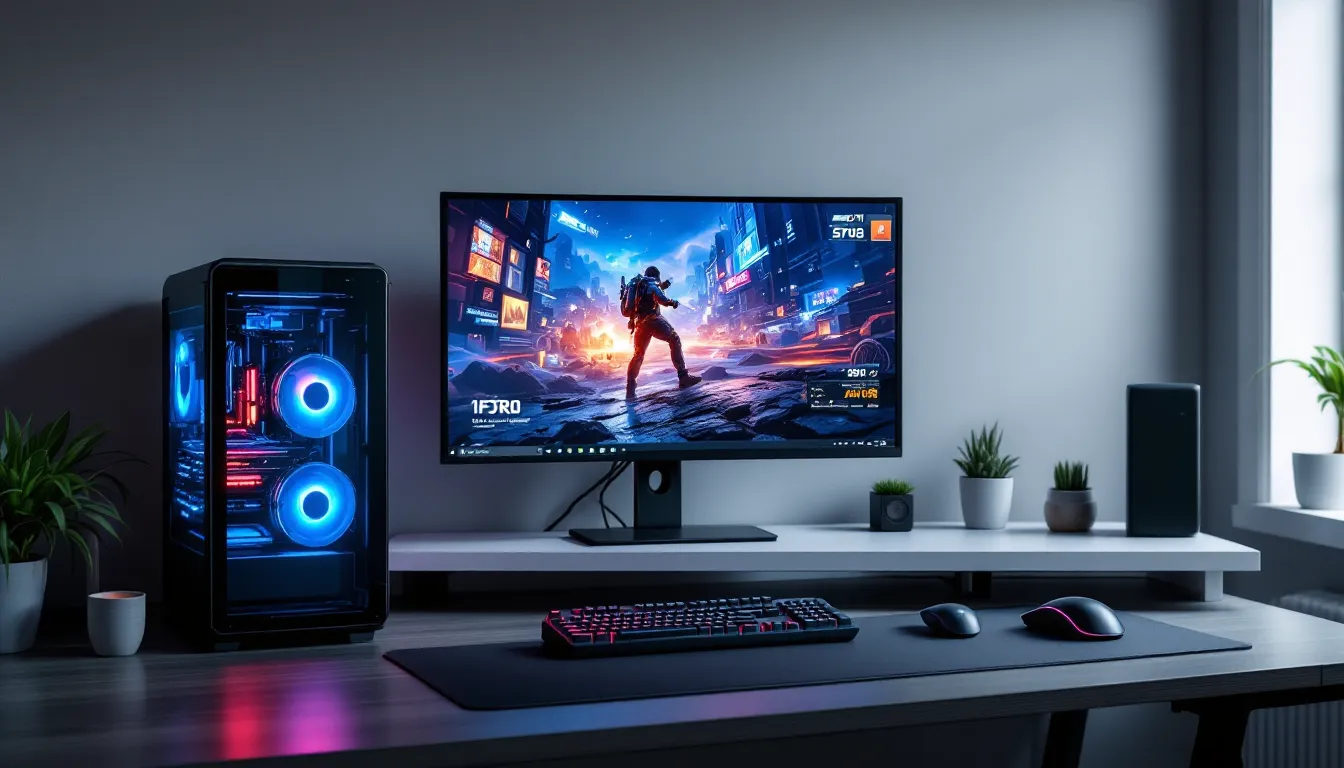
Building a gaming PC without a dedicated graphics card might sound counterintuitive, but in 2026, it’s a legitimate strategy that thousands of gamers are embracing. Whether GPU prices are still climbing, stock is scarce, or the budget simply won’t stretch to include both a killer CPU and a discrete card, integrated graphics have evolved enough to deliver playable frame rates in a surprising range of titles. This isn’t about settling for a slideshow experience, modern APUs from AMD and Intel pack enough graphical punch to run esports staples, indie darlings, and even some AAA games at respectable settings. This guide walks through the why, the how, and the what-you-can-actually-play of building a no-GPU gaming rig that won’t leave you frustrated.
Choosing to skip the graphics card isn’t just about making do with less. There are practical, strategic reasons why gamers are building systems around integrated graphics in 2026.
Even after the worst of the shortages, GPU pricing remains unpredictable. Mid-range cards that once hovered around $250-$300 now routinely hit $400 or more, and entry-level options aren’t always much better value. For gamers working with a $600-$800 total budget, dropping $350+ on a GPU leaves scraps for the CPU, RAM, and storage, components that matter just as much for overall system performance.
Building without a GPU frees up budget to invest in a stronger CPU, faster RAM, and a quality SSD. These components won’t just help gaming performance on integrated graphics, they’ll also ensure the system stays relevant when a GPU eventually gets added.
The days of integrated graphics being a punchline are over. AMD’s Ryzen 7000G series APUs and Intel’s 14th-gen processors with Iris Xe graphics deliver performance that rivals entry-level discrete cards from a few generations back. The Radeon 780M in AMD’s Ryzen 8700G, for example, can push 60+ FPS in esports titles at 1080p and handles games like Elden Ring or Cyberpunk 2077 at 720p low settings.
This isn’t theoretical, real-world benchmarks show these chips running CS2, Valorant, League of Legends, and Fortnite at competitive frame rates. For casual gamers or those focused on esports, integrated graphics can be the primary solution, not a temporary compromise.
Building without a GPU doesn’t mean never adding one. Many builders start with integrated graphics to get gaming immediately, then upgrade when prices drop, stock improves, or a birthday or holiday provides extra cash.
This approach has a hidden advantage: it forces smart component selection upfront. Choosing a quality power supply, a motherboard with a PCIe 4.0 or 5.0 x16 slot, and a case with good airflow means the system is GPU-ready when the time comes. There’s no need to replace the PSU or wrestle with clearance issues later.
Not all integrated graphics are created equal. The CPU choice is the single most important decision in a no-GPU build, and in 2026, two families dominate.
AMD’s APUs remain the gold standard for integrated gaming. The Ryzen 7 8700G leads the pack with its Radeon 780M graphics, featuring 12 RDNA 3 compute units clocked at up to 2.9 GHz. It’s the closest thing to a discrete GPU experience without an actual card, delivering playable performance in everything from Apex Legends to Resident Evil 4 Remake at reduced settings.
For tighter budgets, the Ryzen 5 8600G offers the same Radeon 780M graphics but with six CPU cores instead of eight. Gaming performance is nearly identical since the iGPU is the bottleneck, but productivity tasks and streaming will see a hit. Still, it’s a solid $50-$70 savings.
The older Ryzen 5 5600G and Ryzen 7 5700G remain viable if found on clearance. They use Vega graphics instead of RDNA 3, which means roughly 20-30% lower frame rates compared to the 780M, but they’re still competent for esports and older titles.
Intel’s integrated graphics have improved dramatically, though they still trail AMD’s top APUs. The Core i5-14500 and Core i7-14700 feature Iris Xe graphics with 32 execution units. These deliver respectable performance in lighter games and esports titles but struggle more with demanding AAA games compared to AMD’s Radeon 780M.
The advantage Intel holds is platform cost. B760 motherboards are often cheaper than comparable AM5 boards, and Intel CPUs frequently go on sale. For gamers primarily interested in CS2, Valorant, or Dota 2, the price difference can fund faster RAM or a bigger SSD.
Intel’s Arc iGPUs in some laptop chips haven’t made it to desktop yet in meaningful volume, but if they do, they could shake up the comparison. As of March 2026, AMD still holds the performance crown for desktop integrated gaming.
Real-world testing shows the performance gap clearly. In CS2 at 1080p low settings, the Ryzen 7 8700G averages 110-130 FPS, while the Intel Core i5-14500 hits 80-95 FPS. Both are playable, but the AMD chip provides headroom for higher settings or resolution bumps.
In Fortnite (performance mode, 1080p), the 8700G pushes 90-110 FPS, and the i5-14500 manages 70-85 FPS. For competitive gaming where every frame counts, AMD’s lead matters.
Heavier titles show the gap widening. Elden Ring at 720p low runs at 45-50 FPS on the 8700G but dips to 30-40 FPS on Intel’s Iris Xe. Neither is locked 60 FPS, but the AMD experience is noticeably smoother.
Benchmarks consistently place the Radeon 780M roughly equivalent to an NVIDIA GTX 1050 Ti or GTX 1650 in many scenarios, while Intel’s Iris Xe lands closer to a GT 1030.
A no-GPU build isn’t just about the CPU. The supporting components directly impact whether integrated graphics deliver playable frame rates or stuttering frustration.
For AMD Ryzen 8000G series APUs, an AM5 motherboard with a B650 or X670 chipset is required. B650 boards start around $120-$140 and offer everything needed for a solid gaming build: PCIe 4.0 support, multiple M.2 slots, and USB 3.2 Gen 2 connectivity. Avoid A620 boards, they cut corners on VRM quality and expansion options that matter for future GPU upgrades.
Intel builders need an LGA 1700 motherboard with B760 or Z790 chipset for 14th-gen processors. B760 boards are often $10-$20 cheaper than comparable AMD options, which can help stretch a tight budget.
One critical feature: verify the motherboard has display outputs that match your monitor. HDMI 2.1 is ideal for 1080p 144Hz gaming, and DisplayPort 1.4 provides similar flexibility. Some budget boards skimp on display outputs, assuming a GPU will handle that duty.
Integrated graphics share system RAM, which means memory speed and capacity have an outsized impact on gaming performance. Testing shows that upgrading from DDR5-4800 to DDR5-6000 can boost frame rates by 15-25% on AMD’s Ryzen APUs. Many hardware reviewers have documented this effect across gaming tech platforms, confirming that RAM is a key performance lever.
16GB is the minimum for comfortable gaming in 2026, but 32GB is recommended if the budget allows. Not only does it prevent memory pressure when multitasking, but allocating more VRAM to the iGPU becomes feasible.
Dual-channel configuration is non-negotiable. A single 16GB stick will cripple integrated graphics performance, always buy a 2x8GB or 2x16GB kit. Latency matters too, so look for CL30 or better timings on DDR5.
Without a GPU, power draw is modest. A Ryzen 7 8700G system with a good cooler, SSD, and fans will pull 150-200W under gaming load. A 450W or 550W 80+ Bronze PSU is plenty.
But, buying a higher-wattage PSU makes sense for future GPU compatibility. A quality 650W 80+ Gold unit costs only $10-$20 more than a 450W model and supports adding anything up to an RTX 4070 or RX 7800 XT later. Brands like Corsair, EVGA, Seasonic, and MSI offer reliable units in this range.
Skip the no-name PSU deals. A failing power supply can damage every component in the system, and the $15 saved isn’t worth the risk.
The million-dollar question: what’s actually playable? The answer is broader than most gamers expect, though expectations need calibration.
Esports-focused games are the sweet spot for integrated graphics. These titles prioritize frame rate over visual fidelity, and developers optimize them to run on a wide range of hardware.
Counter-Strike 2 runs beautifully on a Ryzen 7 8700G, hitting 110+ FPS at 1080p low settings. Competitive players can drop to 900p or adjust shadows and effects for even higher frame rates.
Valorant is similarly smooth, maintaining 100+ FPS at 1080p. Riot’s engine is remarkably efficient, and integrated graphics handle it without breaking a sweat.
League of Legends, Dota 2, and Rocket League all exceed 60 FPS at 1080p medium-to-high settings. These games are older or highly optimized, making them no-GPU staples.
Fortnite in performance mode pushes 90-110 FPS at 1080p on AMD’s Radeon 780M. Epic’s performance mode strips visual detail aggressively, but the gameplay experience remains competitive.
Apex Legends sits on the edge of viability. At 1080p low, it averages 55-65 FPS on the 8700G, playable, but not ideal for high-level ranked play. Dropping to 900p helps.
Indie games are a no-GPU build’s best friend. Titles like Hades, Hollow Knight, Celeste, Stardew Valley, and Terraria run flawlessly at 1080p high settings.
Dead Cells, Slay the Spire, Into the Breach, and Undertale are similarly effortless. Many indie games target Switch-level performance, which integrated graphics exceed comfortably.
Retro gaming via emulation is also viable. Dolphin (GameCube/Wii) runs most titles at 1080p or higher. PCSX2 (PS2) handles the majority of the library smoothly. RPCS3 (PS3) is hit-or-miss, lighter games work, but demanding titles like The Last of Us struggle.
AAA gaming without a GPU requires compromise, but it’s not impossible. Managing expectations is key, this is about 30-50 FPS at 720p-900p on low settings, not 4K ultra.
Elden Ring runs at 40-50 FPS at 720p low on the Radeon 780M. It’s not gorgeous, but it’s playable for those willing to tolerate the resolution drop.
Cyberpunk 2077 hits 30-35 FPS at 720p low with FSR enabled. It’s on the edge of playability, and more demanding areas will dip lower.
Hogwarts Legacy manages 35-40 FPS at 720p low. Again, not ideal, but fans of the IP might accept the trade-off.
Spider-Man Remastered performs similarly, averaging 40-45 FPS at 720p low. Insomniac’s optimization helps here.
Older AAA games from 2018-2020 run significantly better. Red Dead Redemption 2, Sekiro, Monster Hunter: World, and Resident Evil 2 Remake hit 45-60 FPS at 1080p low or 900p medium.
Raw hardware is only part of the equation. Squeezing every available frame from integrated graphics requires tweaking settings most gamers never touch.
Integrated graphics don’t have dedicated VRAM, they carve out a chunk of system RAM. Most motherboards allocate 512MB-1GB by default, which is often insufficient for modern gaming.
Entering the BIOS/UEFI (usually by pressing Delete or F2 during boot) allows manual VRAM allocation. Setting it to 2GB or 4GB can improve frame rates and reduce stuttering, especially in VRAM-hungry games. The exact setting name varies by motherboard manufacturer: it might be labeled “iGPU Memory,” “UMA Frame Buffer Size,” or “Graphics Memory Allocation.”
On AMD systems, enabling AMD Smart Access Memory (SAM) or Resizable BAR can provide a small performance bump (3-8% in some titles). Check that the BIOS has it enabled if the CPU and motherboard support it.
Some users also report benefits from enabling XMP/EXPO profiles for RAM. Faster memory directly translates to better iGPU performance, so ensuring the RAM runs at its rated speed is essential.
Not all graphics settings impact performance equally. Knowing which to prioritize can mean the difference between 40 FPS and 60 FPS.
Resolution is the single biggest performance lever. Dropping from 1080p to 900p (1600×900) often yields 20-30% higher frame rates with less visual degradation than lowering settings to minimum.
Shadows are performance killers. Setting them to low or off can reclaim 10-15 FPS in many games. Competitive gamers often disable shadows entirely for visibility advantages anyway.
Anti-aliasing should be set to FXAA or TAA at low quality. MSAA and SSAA are too expensive for integrated graphics. Many games look acceptable without AA at lower resolutions.
Texture quality can often stay at medium or high. Textures impact VRAM usage more than GPU compute, and with 2-4GB allocated, many games handle medium textures fine. If stuttering occurs, drop it to low.
Post-processing effects like bloom, motion blur, depth of field, and lens flare can usually be disabled with minimal visual impact and significant performance gains.
FSR (FidelityFX Super Resolution) or XeSS (Intel) are upscaling technologies that render at lower resolution and upscale to the display resolution. Enabling FSR Quality or Balanced mode can boost frame rates by 20-40% with acceptable image quality loss. Most modern games support FSR, and it’s a must-use feature for integrated graphics gaming.
Keeping GPU drivers current is critical. AMD releases Adrenalin drivers monthly, often with game-specific optimizations and performance improvements. Intel’s Arc & Iris Xe drivers receive similar updates, particularly for new game launches.
Windows updates can also impact performance. Windows 11’s gaming optimizations (Game Mode, Auto HDR, DirectStorage) generally help, but tech publications occasionally report driver conflicts or performance regressions with specific updates. Monitoring patch notes and community forums helps catch these issues early.
Background applications drain resources that integrated graphics desperately need. Closing Chrome tabs, Discord, or streaming software can reclaim 5-10 FPS. Task Manager (Ctrl+Shift+Esc) shows what’s consuming RAM and CPU cycles.
Some gamers use tools like Razer Cortex or MSI Afterburner to monitor performance and automatically close background processes before gaming. These aren’t mandatory but can help squeeze extra performance from the system.
Theory’s one thing, putting it into practice is another. Here’s how to turn a pile of components into a working no-GPU gaming rig.
Entry-Level Esports Build (~$550-$650)
This build targets 1080p esports gaming at 60-100 FPS. The 8600G’s Radeon 780M handles competitive titles comfortably, and the platform supports future GPU upgrades.
Mid-Range All-Rounder Build (~$850-$950)
This build adds 32GB of fast RAM for better multitasking and VRAM allocation, a larger SSD, and a higher-quality PSU ready for future GPU additions. The 8700G’s extra CPU cores help with streaming and productivity work.
Both builds prioritize upgradeability. The motherboards include PCIe 4.0 x16 slots, the PSUs support mid-range GPUs, and the cases have clearance for full-sized graphics cards.
Building a PC without a GPU is slightly easier than a standard build, there’s one fewer component to install and no GPU power cables to route.
Install the CPU and cooler on the motherboard before mounting it in the case. AMD’s AM5 socket uses a zero-insertion-force lever: Intel’s LGA 1700 uses a similar mechanism. Align the CPU carefully (look for the gold triangle marker), secure it, then attach the cooler. Stock coolers come with pre-applied thermal paste: aftermarket coolers usually require applying a pea-sized dot.
RAM goes into slots 2 and 4 (counting from the CPU) for dual-channel operation. Check the motherboard manual to confirm, but this is standard. Press firmly until the clips snap into place.
M.2 SSD installation is straightforward: remove the tiny screw from the M.2 slot, insert the drive at a 30-degree angle, press it flat, and secure the screw. Some motherboards include a heatsink for the SSD, use it if present.
Connect the power supply cables: 24-pin ATX to the motherboard, 8-pin EPS to the top-left of the motherboard (CPU power), SATA power to any SATA drives if used. Without a GPU, there are no PCIe power cables to worry about.
Front panel connectors (power button, USB, audio) are fiddly. The motherboard manual shows exactly where each goes. Take your time here, these are easy to misalign.
Connect the monitor to the motherboard’s display output, not a GPU slot (since there isn’t one). HDMI is most common, but DisplayPort may offer better refresh rate support depending on the motherboard and monitor.
Before powering on, double-check that the RAM is fully seated, the CPU power cable is connected, and the PSU switch is on. First boot might take 30-60 seconds as the system trains memory, don’t panic if there’s no immediate display.
A no-GPU build isn’t forever for most gamers. Knowing when to upgrade, and what to upgrade to, keeps the system relevant longer.
Several indicators suggest it’s time to add a discrete card:
Frame rates dipping below 40 FPS consistently in games you care about, even at 720p low settings. If the compromises become frustrating rather than acceptable, integrated graphics have hit their limit.
Wanting to play new AAA releases at launch. Games like Starfield, GTA VI, or the next Call of Duty will likely struggle on integrated graphics. If day-one gaming matters, a GPU becomes necessary.
Streaming or content creation ambitions. Encoding gameplay for Twitch or YouTube taxes the CPU heavily. A dedicated GPU with hardware encoding (NVENC or AMD VCE) offloads that work, dramatically improving stream quality and system responsiveness.
VR gaming interest. Virtual reality demands consistent high frame rates and low latency. Integrated graphics can’t meet these requirements, VR needs at least an RTX 3060 or RX 6600 XT.
Competitive gaming taking a serious turn. While integrated graphics handle esports titles, serious competitive players want every possible frame. Jumping from 90 FPS to 200+ FPS with a budget GPU provides a tangible advantage.
GPU recommendations shift rapidly with pricing and availability, but as of March 2026, these cards offer the best value for upgrading from integrated graphics:
NVIDIA RTX 4060 ($280-$320): Solid 1080p gaming with ray tracing support and excellent DLSS upscaling. Power-efficient at around 115W TDP, so even a 550W PSU handles it comfortably. Roughly 3-4x the performance of the Radeon 780M.
AMD RX 7600 ($250-$280): Slightly cheaper than the RTX 4060 with similar rasterization performance. Lacks DLSS but supports FSR 3 with frame generation. Great value if ray tracing isn’t a priority.
Intel Arc A750 ($220-$250): Surprisingly competent for the price, especially in DX12 and Vulkan games. Driver maturity has improved significantly since launch. Hardware reviewers on tech enthusiast sites have tracked Intel’s progress here, and the Arc cards now deliver reliable performance for budget builds.
Used market options: An RTX 3060 or RX 6600 XT from the previous generation can often be found for $200-$250 used. Both offer strong 1080p performance and are proven reliable.
All these cards fit in standard mid-tower cases, draw under 200W, and work with a 550W or better PSU. They transform the gaming experience from “compromising on settings” to “high settings at 1080p 60+ FPS” in most titles.
Building a gaming PC without a GPU in 2026 is more viable than ever, thanks to AMD’s Ryzen APUs and Intel’s Iris Xe improvements. It’s not the right choice for every gamer, but for those focused on esports, indie games, or working within tight budgets, integrated graphics deliver playable experiences that would’ve been impossible a few years ago. The key is understanding the limitations, AAA gaming requires compromises, and competitive frame rates mean lowering settings, but the trade-off is immediate gaming without waiting for GPU prices to cooperate. And when the time comes to upgrade, a well-chosen no-GPU build slots in a graphics card without needing to replace anything else. That flexibility, combined with the money saved upfront, makes it a strategy worth considering for budget-conscious builders who want to start gaming now rather than later.
